By Dex Monroe|March 19, 2026|March 19, 2026|4 min read|🤖 AI-assisted
Listen to article
Maximize Your Crimson Desert Experience: Essential Graphics Settings for Peak Performance
0:00 / 0:00
Discover the optimal graphics settings for Crimson Desert to ensure a seamless gaming experience without compromising visual fidelity.
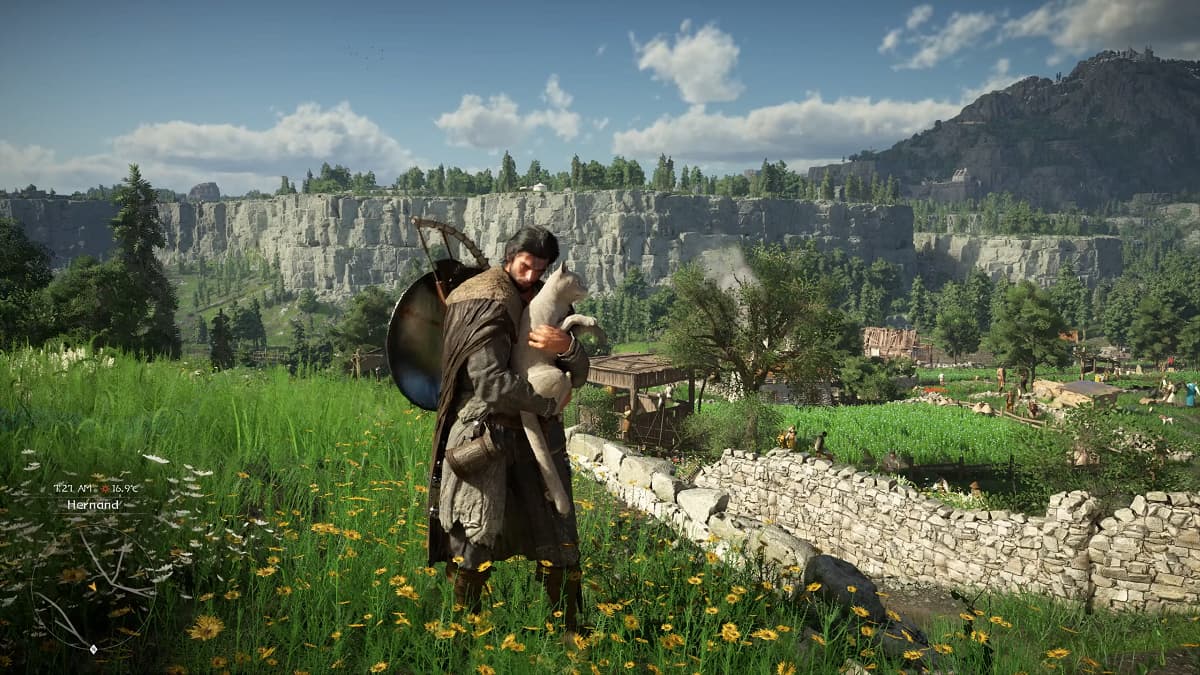
Crimson Desert has finally hit the gaming scene, and with its launch comes a plethora of stunning visuals and an expansive open world, promising players an immersive experience filled with adventure. But let’s face it: no one wants to be bogged down by lag when exploring its breathtaking landscapes. Luckily, optimizing your graphics settings can help you achieve maximum frames per second (FPS) without sacrificing the jaw-dropping graphics that make this title a standout.
First off, it’s essential to understand that while Crimson Desert is designed to look phenomenal, it’s also impressively optimized. This means that with the right settings, you can unlock its full potential. Whether you're running on high-end hardware or something a bit more modest, striking a balance between performance and quality is key.
**General Recommendations**
For those equipped with powerful graphics cards like the AMD RX 9070 XT, RX 7900 XT/XTX, or NVIDIA’s RTX 4070 Ti and 5070 Ti, it’s recommended to kickstart your experience with the Ultra or even Cinematic presets. These pre-configured settings handle most of the optimization for you, but you can tweak them further to suit your play style.
However, one major factor to keep in mind is the Lighting setting, especially when utilizing Ray Tracing. Enabling Ray Tracing can drain your FPS by as much as 30-40 frames, which significantly impacts gameplay. Therefore, adjust this setting with caution if you want to maintain fluid performance.
**Recommended Graphics Settings**
To get the most out of Crimson Desert without breaking a sweat, here are the optimal graphics settings:
- **Upscale Mode:** Off (or Native AA). While using an upscaler like AMD FSR or NVIDIA DLSS can enhance visuals, turning it off often results in satisfying performance.
- **Ray Regeneration/Nvidia Ray Reconstruction:** Off. Unless you're wielding a high-end GPU (the likes of x80 or xx90 cards), this feature can be a performance killer.
- **Model Quality:** Ultra. This setting helps maintain the game’s stunning visual quality.
- **Texture Quality:** Cinematic. Enjoy the richness of textures without the heavy load on your system.
- **Shadow Quality:** Ultra/High. Shadows add depth to the environment, heightening immersion.
- **Raytracing:** On. But be cautious and keep an eye on performance metrics.
- **Lighting Quality:** Ultra. This is one of the most visually appealing aspects of the game, but don't adjust it unless absolutely necessary.
- **Reflection Quality:** Ultra. Reflective surfaces contribute significantly to the realism of the graphics.
- **Advanced Weather Effects:** On. Dynamic weather can enhance immersion.
- **Water Quality:** High. Realistic water effects are crucial in a game with such beautiful landscapes.
- **Foliage Density:** High. Lush environments make for stunning exploration.
- **Volumetric Fog Quality:** High. It adds an atmospheric layer that enhances the mystical feel of the game.
- **Effect Quality:** Ultra. Visual effects should be top-notch in a game of this caliber.
- **Simulation Quality:** Ultra. However, if you notice CPU limitations, consider lowering this setting.
What’s remarkable about these settings is that they allow you to enjoy the game at its finest without the dreaded lag. Players eager to dive into the game’s enchanting universe will appreciate the balance of performance and aesthetics.
**Final Thoughts**
Crimson Desert is shaping up to be more than just another MMORPG; it’s a testament to what modern gaming can achieve in terms of graphics and world-building. By carefully selecting your graphics settings, you can enhance your gameplay experience and explore every nook and cranny of this vast landscape.
Remember to monitor your FPS while adjusting these settings, as individual performance can vary based on hardware. With these settings dialed in, you’ll be ready to embark on your epic journey in Crimson Desert and enjoy all it has to offer without any hiccups. Game on!
Xbox Game Pass Price Cut Sparks Subscriber Revival, Says Asha Sharma
Microsoft’s price cut for Xbox Game Pass is reportedly boosting subscriber activity, but new head Asha Sharma warns it’s just the beginning of a long journey.
By Dex Monroe · 4 min read
2d ago
AI Tensions Erupt at The New York Times as Unionized Tech Workers Push Back
Unionized tech employees at The New York Times are raising alarms over the use of AI performance tracking tools, claiming violations of their contract as tensions escalate within the newsroom.
By Dex Monroe · 4 min read
3d ago
Racing Game Revolution on the Horizon? Gavin Raeburn's Bold New Venture
Playground Games co-founder Gavin Raeburn hints at a new chapter in racing games, aiming to challenge the dominance of Forza Horizon while pushing the genre forward.
By Dex Monroe · 4 min read
3d ago
TSMC Workers Threaten Strike Over Bonus Cuts Amid Record Profits
Employees at TSMC are rallying against proposed bonus cuts despite the company's booming profits, echoing labor unrest at Samsung in South Korea.